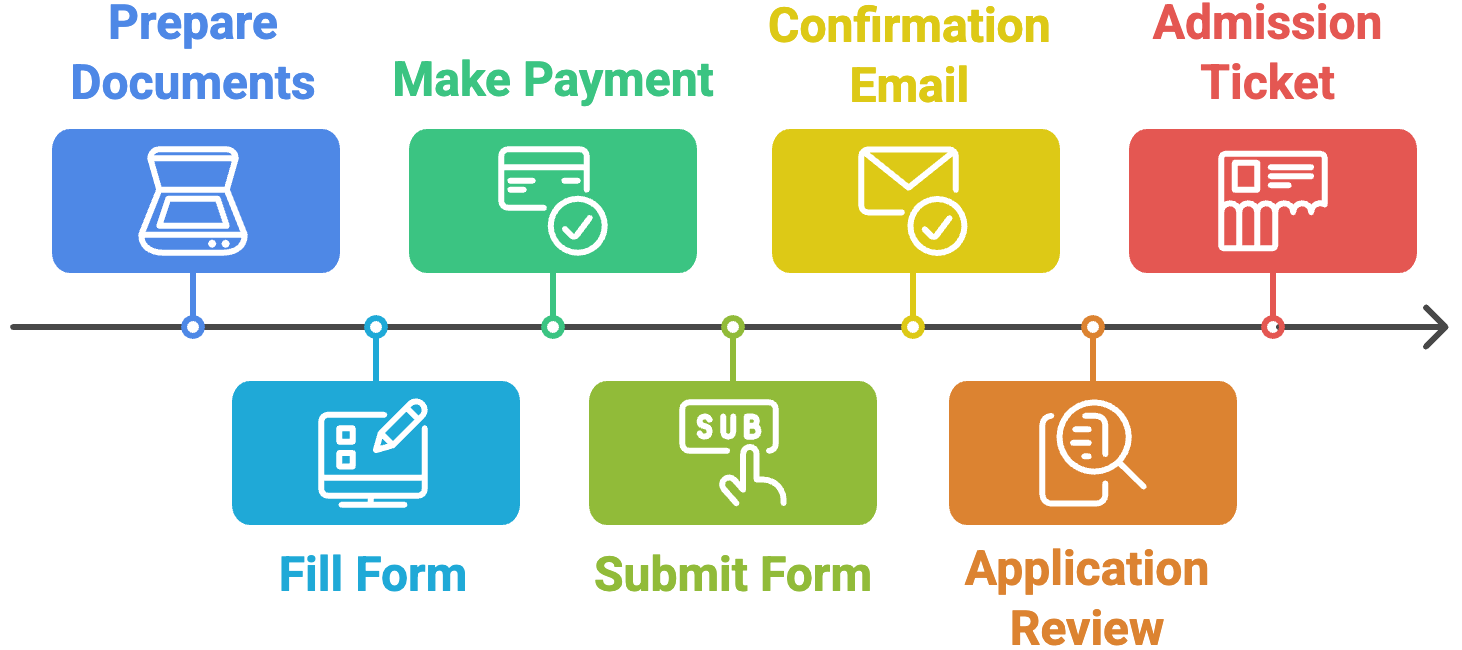
Online Registration Process

Online Registration Form

1. Personal Information

Please provide your personal details

2. Exam Details

Select your examination level and preferred test date

Select a test date first to see available levels

3. Payment Method

Select your preferred payment method

payments Total Payment Due

0 BDT

Select exam levels first

There is a 2.5% (3.5% for AMEX) online transaction processing charge for online payments.

4. Document Uploads

Upload your photograph and identification documents

Photograph must be taken within last 6 months on a plain, light-colored background. Face should occupy 70-80% of the frame, front-facing with eyes open.

JPG or PNG only. iPhone HEIC photos are not accepted — on iPhone set Settings → Camera → Formats → "Most Compatible", or share the photo as JPEG.

Photo preview

Select your document type, enter its number, then upload a clear copy.

Select your ID type and enter the number first

ID preview

If you have already made the payment, you can upload the receipt here. Otherwise, send it later to money_receipt@nat-test.ku.ac.bd

Payment receipt preview

Select a test date and exam level(s) above to see your total fee.

Offline Registration Process

Offline Registration Process

Follow these steps to complete your registration offline:

1

Download and Fill the Application Form

Download the offline application form and fill it out completely with accurate information.

download Download Offline Form (PDF)
2

Make the Payment

Pay the application fee of BDT 4,000.00 to the following bank account:

Account Name: Test Site Director

Account Number: 0200025673722

Bank: Agrani Bank Plc.

Branch: Khulna University

Important Instructions:

  • - Do not make partial payments.
  • - Keep the payment receipt until the exam ends.
  • - Deposits are non refundable.
3

Prepare Required Documents

Gather the following documents:

  • Two passport-size photographs (recent, plain background)
  • Copy of ID card (Passport or National ID)
  • Payment receipt/deposit slip
  • Completed application form
4

Send Documents via Email

Send all documents as attachments to:

offline_registration@nat-test.ku.ac.bd

Include your full name and ID number in the email subject line

5

Receive Confirmation Email

You will receive a confirmation email within 24-48 hours after we receive your application.

6

Receive Admission Ticket

After your application is reviewed and approved, you will receive your admission ticket via email.

Questions? Contact us at info@nat-test.ku.ac.bd

🚀

CBT Registration Coming Soon

Computer-Based Testing (CBT) registration will open soon. Get notified when it launches!

What is CBT?

Computer-Based Testing offers a modern, flexible examination experience with faster results and convenient scheduling options.

  • check_circle Flexible scheduling options
  • check_circle Faster result processing
  • check_circle Modern testing environment

Get Notified When CBT Launches